

What Is DPI? The Complete Guide for High-Quality Printing (2026) | Customize Street Wear Printing & Embroidery
What Is DPI in Printing?
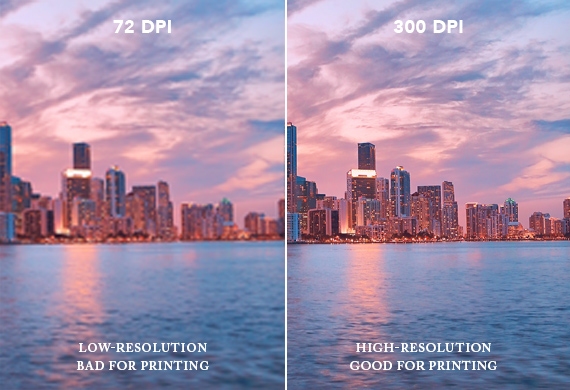

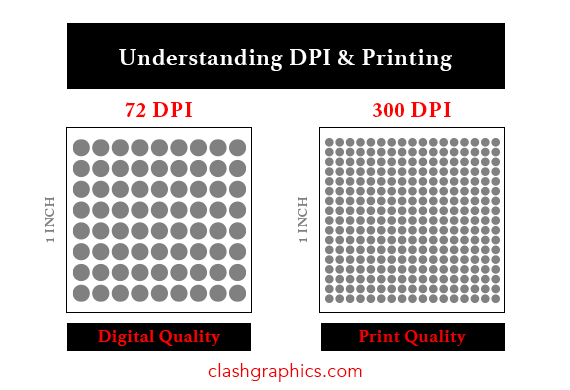
DPI (Dots Per Inch) refers to how many tiny ink dots a printer places within one inch of your design.
The higher the DPI:
- The sharper your print looks
- The more detail your design holds
- The more professional the final result
At Customize Street Wear Printing & Embroidery, we recommend 300 DPI for all print-ready files to ensure clean, high-quality results.
Why DPI Matters for Custom Printing
Whether you're printing:
- Custom T-shirts
- Hoodies
- Stickers (DTF / UV DTF)
- Banners
- Business branding
DPI determines whether your design looks crisp and professional or blurry and low-quality.
Low DPI (72 DPI)
- Good for screens only
- Prints look blurry or pixelated
High DPI (300 DPI)
- Industry standard for printing
- Sharp text and clean images
- Best for apparel and promotional products
👉 If you want your brand to look professional, DPI is non-negotiable.
DPI vs PPI (Quick Explanation)
Many people confuse DPI with PPI.
- DPI = Printing (physical ink dots)
- PPI = Screens (digital pixels)
Your design might look perfect on your phone—but still print blurry if it’s not set up correctly.
What Happens If Your File Is Low Resolution?
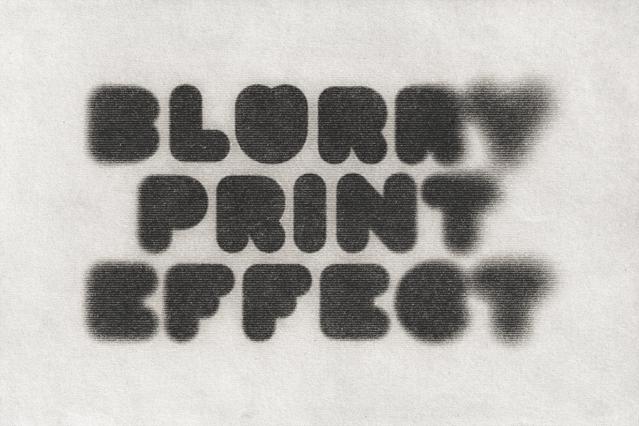

If your DPI is too low, you’ll see:
- Blurry prints
- Jagged edges on text/logos
- Loss of detail
- Faded or soft appearance
⚠️ Important:
Increasing DPI after the fact does NOT fix the problem. It only stretches the image.
Best DPI Settings for Printing (CSW Recommendations)
| Product Type | Recommended DPI |
|---|---|
| T-Shirts (DTF / Screen Print) | 300 DPI |
| Hoodies | 300 DPI |
| Stickers (DTF / UV DTF) | 300 DPI |
| Banners | 150–300 DPI |
| Large Signs | 150 DPI (viewed from distance) |
| Embroidery | Vector file preferred |
Real Example: Why Size + DPI Matters
Let’s say your image is:
- 1000 × 1000 pixels
Print it at:
- 10 inches wide → 100 DPI (blurry)
- 3.3 inches wide → 300 DPI (sharp)
👉 Same file, completely different result.
How to Make Your File Print-Ready
To get the best results:
- Design at actual print size
- Set resolution to 300 DPI
- Use PNG (transparent) or PDF
- Avoid screenshots or low-quality images
- Use vector files (AI, SVG) when possible
CSW Pro Tips (From the Print Shop)
✔ If it looks blurry on your screen, it will print worse
✔ Always send the highest quality file you have
✔ Logos should be vector whenever possible
✔ Small text needs higher clarity to print clean
Need Help? CSW Has You Covered
At CSW Printing & Embroidery, we don’t just print—we make sure your designs come out perfect.
We can:
- Fix low-resolution artwork
- Clean up and enhance designs
- Convert files to print-ready format
- Recreate logos in high quality
👉 Not sure if your file is good? Send it over—we’ll check it for you.
Final Takeaway
DPI = Print Quality
- 72 DPI → Screen use only
- 300 DPI → Professional printing
- Higher DPI = Better results
If you want your prints to look clean, sharp, and premium—always use 300 DPI.